Building & helpers
How to carry logs, planks and other materials
Press E on a material to command pickup, bring the carrier along with F or send it toward a floor point with hold-F, then use E at the drop-off prompt. If it is carrying planks for construction, target the blue plan with E instead.
In this page
Choose the material for the next job
Plan the delivery before issuing pickup. The guidebook names logs, stones and animals as things pups can carry; the construction tutorial explicitly demonstrates a plank. For a plank construction job, start with a plank rather than asking a helper to take an unsplit log straight to the preview.
Log

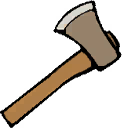
The round piece is the stage before a plank. Move logs as logs, or split them with the Axe before supplying a plank job.
Plank

The flat piece is the material named in the manual and pup construction tutorials.
Stone

Stones are also carryable by pups. Keep that transport task separate from the tutorial’s plank construction example.
The wood sequence is trees → logs → planks. Scroll to the Axe when converting a log to planks. Split the log before sending a plank carrier to construction.
Make a pickup and delivery run
- Bring pups to the load. Use F for follow/unfollow. If you want a destination, hold F on the floor for a go-to order.
- Target the object and press E. This issues pickup. Check which form is being carried before walking away from the supply.
- Move the carrier to the job. Use the follow order when bringing materials with you, or the floor-targeted go-to command when directing movement to a point.
- Choose the delivery outcome. Use E when the drop-off prompt is shown to leave the load, or use the blue-plan construction order below if the carrier has planks for that job.
The developer’s July 15 commands demonstration, published in August, connects tree cutting, E pickup, bringing the carriers along and making them drop the objects. The Build37 tutorial supplies the follow, go-to, pickup and drop-off inputs used here.
If right-clicking a pup is needed because it is locked, use the locked-pup recovery first. Repeating pickup on another object does not explain an unresponsive locked state.
Drop off a load or put planks straight into construction
Leave a loose load
Object → E pickup → move carrier → contextual E drop-off.
Use this when your immediate goal is to relocate the object.
Finish a marked plan
Plank → E pickup → blue preview → E construction.
Send a plank carrier to the blue preview when the delivery should finish construction.
Prepare the Blueprint plan before the building delivery. If no plan is marked yet, the Blueprint steps come before the construction order.
Carry the plank yourself when that is simpler
For one nearby plan, you can skip a helper’s delivery run: grab a plank with left mouse, scroll to the Mallet while carrying it, then left-click the plan. This is the tutorial’s manual construction route.
Right mouse holsters or unholsters a carried object. Hold-left is the throw action. Those carry controls are separate from an E order to a pup. See the controls reference when changing tools or carry context.
Check the load, target and family before repeating
- Still holding a log? Split a log first when the job calls for a plank.
- Pickup happened but the plan is unfinished? Issue the separate construction order on the blue preview.
- E offers another action? Read the target prompt before confirming. A chicken attack target is a different context from material pickup or a blue plan.
- Helpers need food? Stop commands so they can eat nearby food before the next run.
A delivery is complete when the material has been dropped where intended or supplied to the chosen plan. Return to the care-and-work route before extending the job into another batch.