Family care
How to hunt chickens and feed hungry pups
Press E on a chicken to command an attack. Chickens drop food in the developer’s food demonstration. Bring hungry pups near the food, stop their active orders and check the hungry-pup count before returning to work.
In this page
Choose a food run before another building run
Read the number of hungry pups on screen before assigning helpers to construction. If there is already food nearby, you can go straight to releasing their orders for a meal. If there is no food at hand, the chicken attack command connects a hunting job to that care task.
Keep an animal intended for a breeding pair separate from your food target. The animal husbandry guide explains the rooster-and-hen overnight setup; that is a different result from feeding a hungry pup now.
Use the chicken attack context
- Bring the pups to the hunting area. F toggles follow/unfollow; hold F on the floor for a go-to order.
- Target a chicken and press E. The Build37 tutorial names this as the manual command to attack a chicken.
- Check for the food after the chicken dies. The developer’s July 11 food demonstration, published in August, shows chickens dropping food on death. A pickup or follow order by itself is not the attack command.
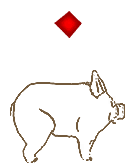
The command is contextual: E on a loose material can mean pickup, while E on the blue building preview means construction. Read the target prompt rather than assuming every E press attacks.
Finish the meal after obtaining food
Acquire food
Chicken target + E attack → food dropped on death.
Make eating possible
Hungry pup near food + active commands stopped → the guidebook’s eating conditions.
Check the care result
Read the hungry-pup display again before assigning another work order. Food obtained is not yet the same checkpoint as pups fed.
- Get the hungry pups near the available food. You can bring following pups to food that is already on the ground; moving every food item is not a required step in this route.
- Stop their active commands. For follow, use F to unfollow. For another active work order, use the current Commands page in the pause book.
- Give the eating task its own check. The book specifically says to stop commands so pups can eat nearby food. Repeating the attack order or collecting another material does not satisfy that condition.
Read hunger and thirst separately
Check the hungry-pup count after the meal before deciding whether to hunt again. Use that count to decide whether more food is needed before the next job.
Food also does not replace drinking. Follow the water instructions for thirsty pups, and keep cots in the family’s sleeping provision.
If a pup still does not eat
| What you see | Next check |
|---|---|
| The pup is still following or working. | Stop that active order so it can eat nearby food. |
| The food is away from the hungry pup. | Bring the pup near the food before expecting a meal. |
| The pup is locked and will not move or sleep. | Right-click that pup to unlock it, then return to the food-and-orders checks. |
| The water counter still needs attention. | Treat drinking as a separate care task. |
The developer’s food example is an earlier demonstration, while the attack input and eating conditions above come from free Episode 2’s Build37 tutorial and guidebook. For care after the food run, continue with one manageable work cycle.